
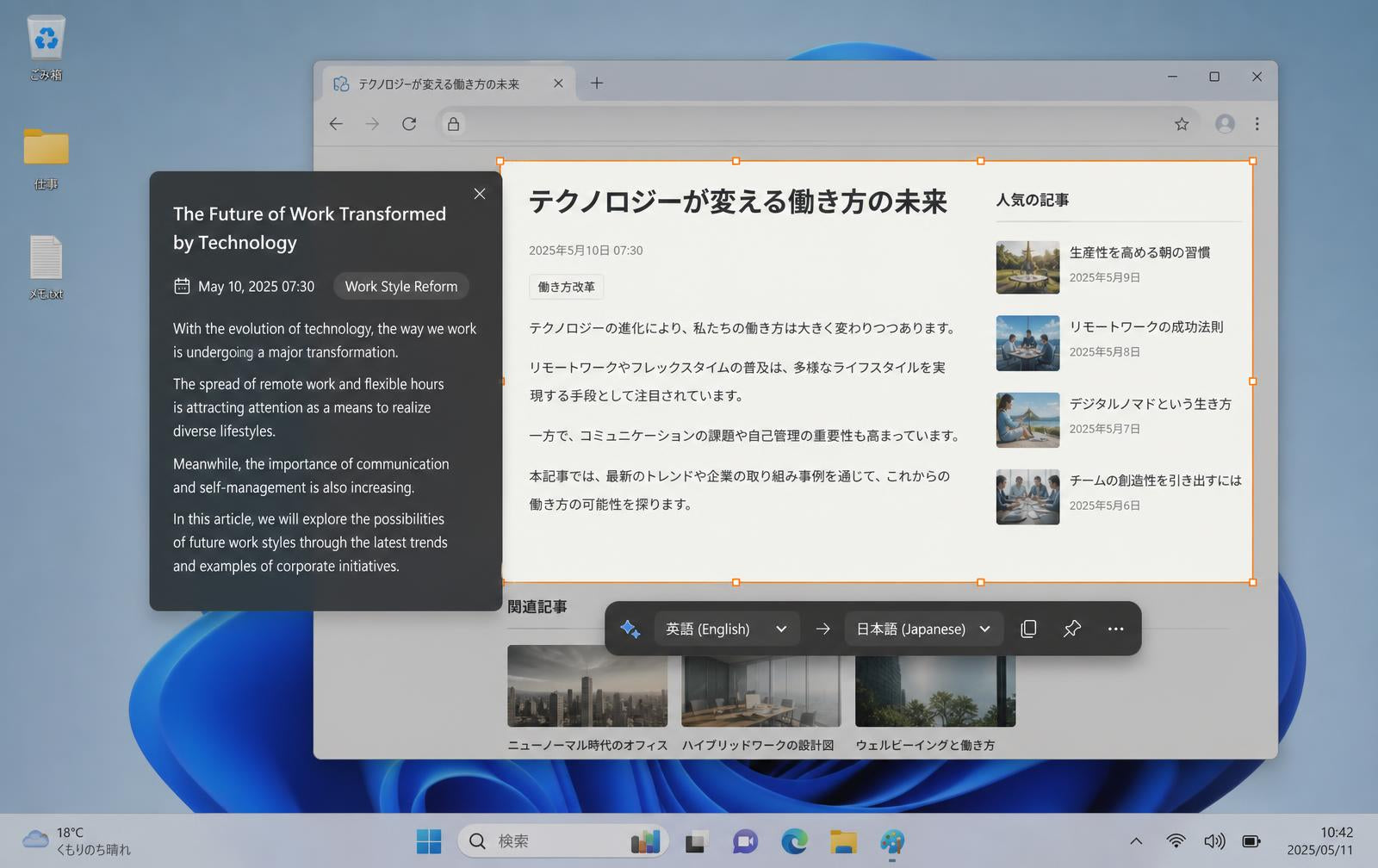
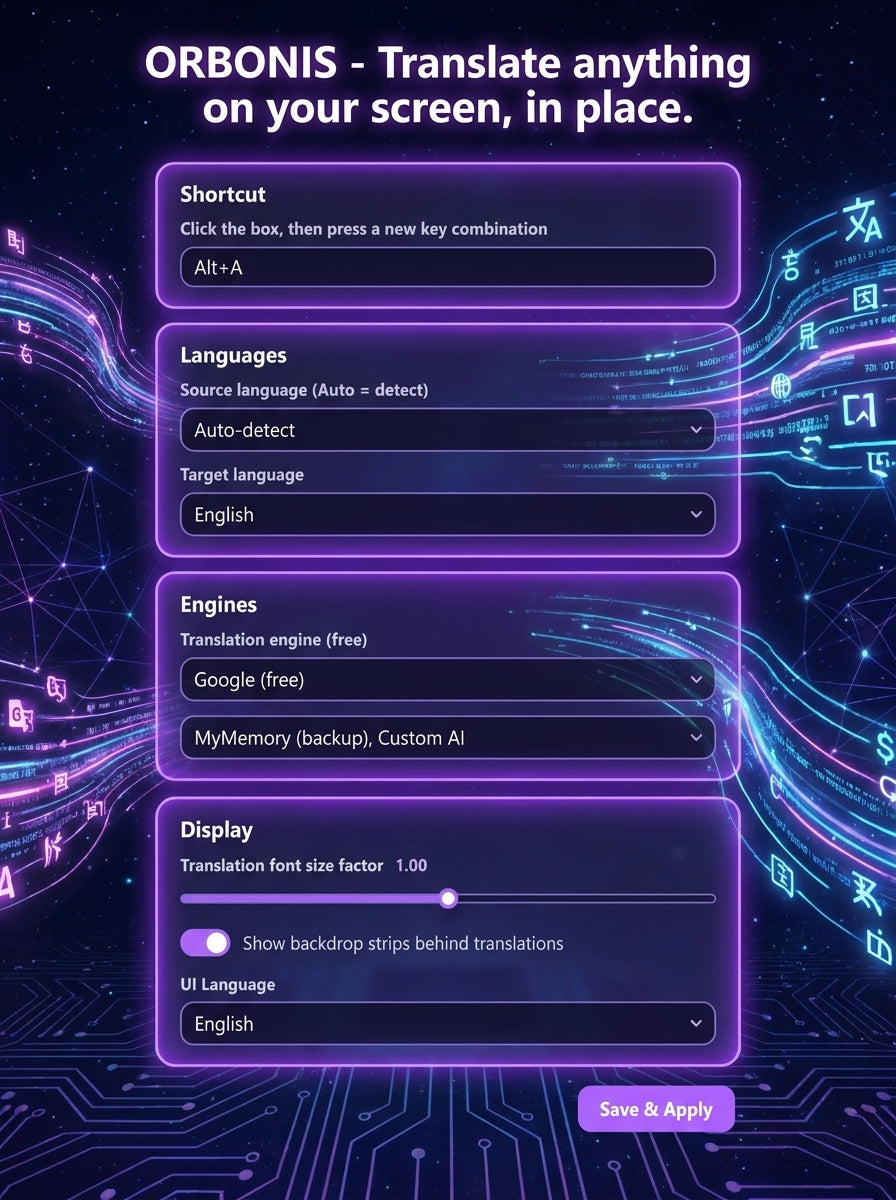
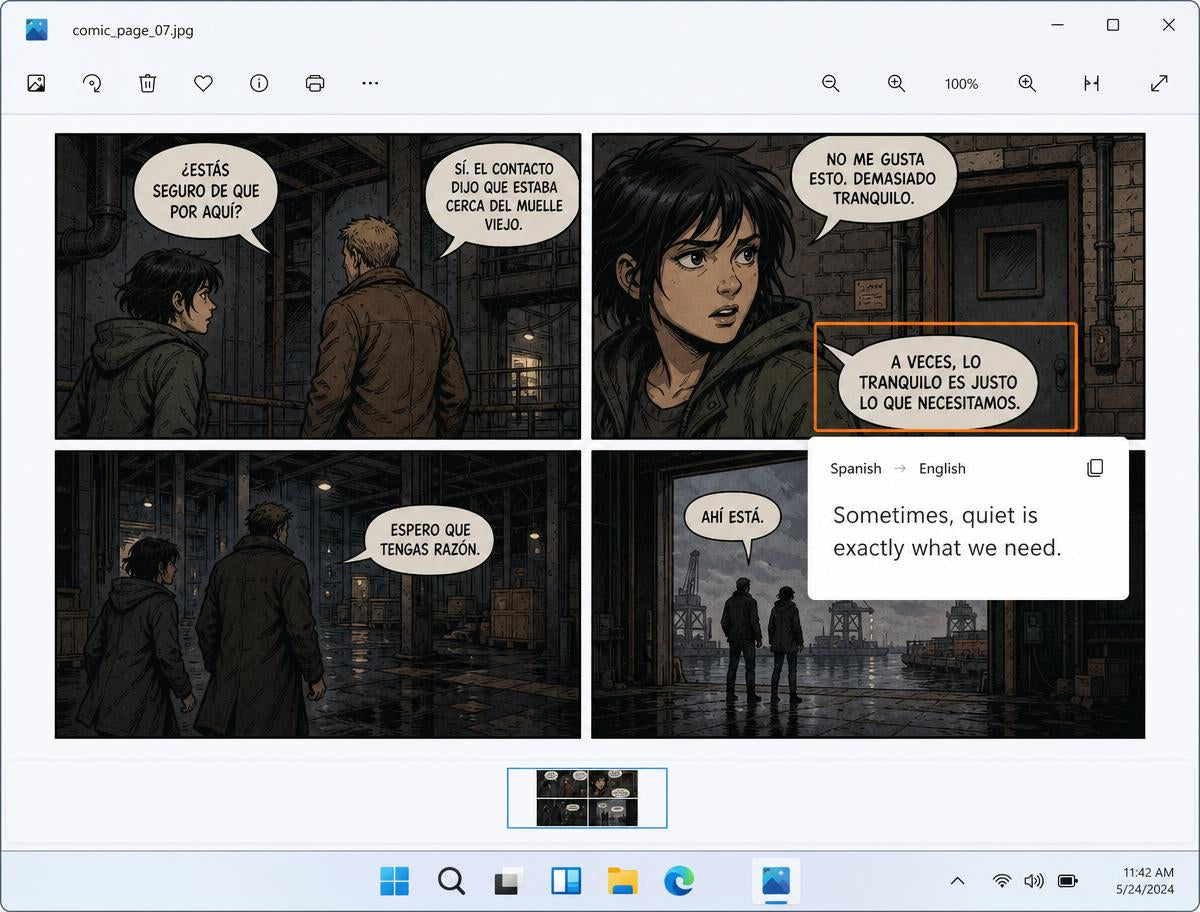
Orbonis capture, settings and translation-overlay views.
For everyday users
Orbonis for Windows
A personal-use license for the Orbonis screen translation app, plus the lightweight Windows installer.
No subscription · digital delivery by email
OrbonisInstaller.exe · 10.3 MB · v1.0.0
- Personal-use license key for Orbonis
- Lightweight Windows installer that fetches the full application
- All current features, including custom AI endpoints
- Free updates within the current major version
- Email support at info@orbonis.shop
About this product
What you are buying
Orbonis for Windows lets you draw a box around any part of your screen — a web page, a PDF, a game menu, a comic panel, a paused video frame — and read the translation directly over the original content.
Text recognition can run locally on your computer through the bundled OCR engines, so no screenshot has to leave your machine for the recognition step. You then choose which translation provider handles the recognised text.
It is a small utility by design: it sits in the tray, responds to a keyboard shortcut you choose, and stays out of the way the rest of the time. No ads, no subscription.
Features
- Screen-region capture on any monitor
- Local OCR with multiple engines
- Translation shown over the original area
- Several translation providers to choose from
- Custom OpenAI-compatible endpoint, model and key
- Configurable global keyboard shortcut
- Adjustable source and target languages
- Overlay and notification behaviour settings
- Copy recognised text or translation
- Runs from the system tray, no advertising
System requirements
- Operating system
- Windows 10 and Windows 11 (64-bit)
- Architecture
- 64-bit
- Disk space
- Roughly 200 MB after installation
- Internet
- Required for setup, activation and online providers
- Display
- Any resolution; multi-monitor and high-DPI supported
Questions
About this product
What can Orbonis translate?
Which versions of Windows are supported?
Does OCR run locally?
Does translation need an internet connection?
How does license activation work?
Can I reinstall Orbonis or move to a new computer?
Why is the installer so small?
$4.99, once, for the whole application
Download first if you like — activation is the only step that needs a license.